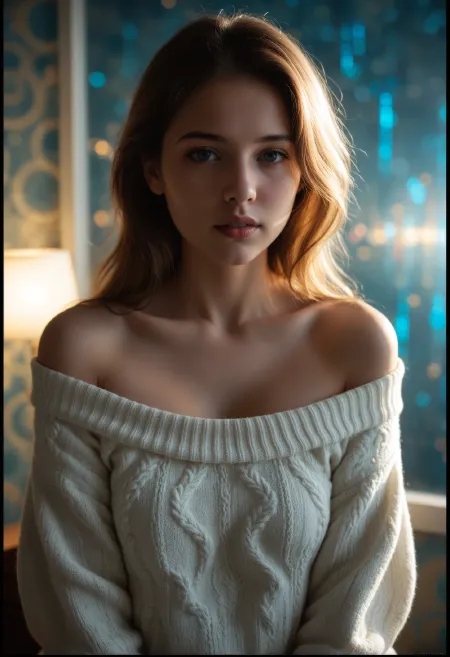
Introduction: The Revolution of AI Video Generation
Imagine describing a scene in words and watching it come to life as a fully animated video. What sounded like science fiction just a few years ago is now reality thanks to advanced artificial intelligence. Text-to-video AI technology has democratized video creation, enabling anyone—from content creators to marketers to storytellers—to generate professional-quality videos simply by writing descriptions.
In this comprehensive guide, we'll explore everything you need to know about text-to-video generation: how it works, best practices for writing effective prompts, advanced techniques, and real-world applications that can transform your content creation workflow. Whether you're creating social media content, marketing materials, or artistic projects, mastering text-to-video will unlock unprecedented creative possibilities.
What is Text-to-Video AI?
Text-to-video AI is a cutting-edge technology that converts written descriptions into complete video sequences. Unlike traditional video production that requires cameras, actors, sets, and extensive editing, text-to-video generation uses deep learning models trained on vast datasets of video content to understand language and synthesize corresponding visual motion.
When you provide a text prompt, the AI model analyzes the semantic meaning, identifies key visual elements (objects, settings, actions, lighting, mood), and generates a coherent video sequence frame by frame. Modern systems like Grok AI's text-to-video tool leverage transformer architectures similar to large language models but adapted for spatiotemporal generation—understanding both spatial composition and temporal dynamics.
Key Insight: Text-to-video doesn't just create static images—it generates actual motion, understanding physics, causality, and natural movement patterns to produce videos that look coherent and realistic.
How Text-to-Video Generation Works
Understanding the underlying technology helps you write better prompts and set realistic expectations. Here's a simplified breakdown of the process:
Step 1: Text Encoding
Your written prompt is first processed by a language model that converts text into numerical representations called embeddings. These embeddings capture semantic meaning—not just individual words but relationships between concepts, actions, and visual attributes.
Step 2: Visual Latent Space Mapping
The text embeddings are mapped to a "latent space"—a mathematical representation of visual concepts learned during training. This space contains knowledge about objects, scenes, movements, camera angles, lighting conditions, and how these elements interact over time.
Step 3: Video Diffusion
Most modern text-to-video systems use diffusion models. Starting from random noise, the model iteratively refines the output over multiple steps, gradually transforming chaos into coherent video frames that match your text description. Each denoising step brings the video closer to matching both the visual content and temporal dynamics described in your prompt.
Step 4: Temporal Coherence
Unlike generating individual images, video generation must maintain consistency across frames. The AI ensures objects maintain their appearance, movements follow physical laws, and transitions between frames appear smooth and natural. This temporal dimension is what separates video generation from simple image animation.
Writing Effective Text-to-Video Prompts
The quality of your generated video depends heavily on how well you craft your prompt. Here's a framework for writing prompts that consistently produce excellent results:
The Prompt Formula
Structure: [Subject] + [Action/Movement] + [Setting/Environment] + [Visual Style] + [Lighting/Atmosphere] + [Camera Perspective]
Example Breakdown:
- ✓ Subject: "A graceful ballerina"
- ✓ Action: "performing a slow pirouette with arms extended"
- ✓ Setting: "on a wooden stage in an empty theater"
- ✓ Style: "cinematic realism with shallow depth of field"
- ✓ Lighting: "warm spotlight from above, dramatic shadows"
- ✓ Camera: "medium shot at eye level, slow zoom in"
Complete Prompt: "A graceful ballerina performing a slow pirouette with arms extended on a wooden stage in an empty theater, cinematic realism with shallow depth of field, warm spotlight from above creating dramatic shadows, medium shot at eye level with slow zoom in."
Specificity is Key
Vague prompts produce vague results. Compare these two examples:
❌ Weak Prompt:
"A person dancing"
Result: Generic, unpredictable output with unclear style, setting, and quality.
✅ Strong Prompt:
"A young woman in a flowing red dress performing contemporary dance moves on a rooftop at sunset, golden hour lighting, urban skyline in background, smooth fluid movements, shot on 35mm film aesthetic"
Result: Specific, visually rich output with clear artistic direction.
Motion Descriptors That Work
Since you're generating video (not images), describing movement is crucial. Use these categories:
- Camera Movements:slow pan left, smooth tracking shot following subject, gradual zoom in, rotating around object, crane shot rising upward, handheld shaky cam for intensity
- Subject Motion:walking gracefully, spinning rapidly, jumping in slow motion, waving gently in the wind, morphing smoothly, exploding outward, collapsing inward
- Environmental Dynamics:waves crashing on shore, leaves falling from trees, smoke billowing upward, rain pouring down, flames flickering, clouds drifting across sky
- Temporal Quality:smooth continuous motion, jerky stop-motion style, buttery slow motion, hyperlapse speed-up, looping seamless animation
Advanced Techniques for Professional Results
1. Layered Prompting
Build complexity gradually by layering details:
Layer 1 (Base): "A dragon flying over mountains"
Layer 2 (Style): "photorealistic, National Geographic documentary style"
Layer 3 (Lighting): "dramatic sunset lighting, volumetric rays through clouds"
Layer 4 (Motion): "soaring gracefully with wings catching updrafts, camera tracking alongside"
Final: "A massive dragon with iridescent scales soaring gracefully over snow-capped mountain peaks, photorealistic National Geographic documentary style, dramatic sunset lighting with volumetric rays piercing through clouds, wings catching thermal updrafts as camera tracks smoothly alongside maintaining eye contact."
2. Aspect Ratio Strategy
Different platforms require different formats. Plan your aspect ratio based on intended use:
| Aspect Ratio | Resolution | Best For |
|---|---|---|
| 9:16 (Portrait) | 432×768 | TikTok, Instagram Reels, YouTube Shorts, Snapchat Stories |
| 16:9 (Landscape) | 768×432 | YouTube videos, presentations, websites, traditional video |
| 1:1 (Square) | 768×768 | Instagram feed posts, Facebook posts, profile content |
| 4:3 (Traditional) | 768×588 | Retro aesthetic, TV-style content, presentations |
3. Frame Rate Optimization
Frame rate affects motion smoothness and file size:
- → 24 FPS: Cinematic film look, natural motion blur, ideal for storytelling
- → 30 FPS: Standard video quality, smooth motion, good for general content
- → 60 FPS: Ultra-smooth slow-motion capability, gaming content, high-action sequences
Common Mistakes and How to Avoid Them
❌ Mistake #1: Overly Complex Scenes
Asking for too many elements causes confusion and artifacts.
✅ Fix: Focus on 2-3 main subjects. Use sequential generations for complex narratives.
❌ Mistake #2: Ignoring Physics
Requesting impossible movements breaks coherence.
✅ Fix: Describe physically plausible motion. Use "fantasy style" modifiers for surreal content.
❌ Mistake #3: No Context Setting
Generic prompts yield generic results.
✅ Fix: Always specify environment, time of day, weather, and mood.
❌ Mistake #4: Wrong Technical Specs
Using inappropriate resolution or frame rate for platform.
✅ Fix: Match aspect ratio and FPS to your distribution channel before generating.
Real-World Applications
Social Media Content Creation
Influencers and brands use text-to-video to produce scroll-stopping content at scale. Instead of organizing expensive shoots, generate multiple variations of product showcases, lifestyle content, or promotional clips from simple descriptions.
Marketing and Advertising
Marketing teams create storyboards, concept videos, and even final ad creatives using text-to-video. Rapidly prototype campaign ideas, test different visual approaches, and produce localized versions for different markets without reshooting.
Educational Content
Educators generate visual explanations of abstract concepts, historical reenactments, scientific processes, and literary scenes. Transform textbook descriptions into engaging visual lessons that improve student comprehension.
Entertainment and Storytelling
Independent filmmakers and writers create proof-of-concept trailers, visualize scenes during scriptwriting, produce animated short films, and experiment with visual narratives previously impossible due to budget constraints.
The Future of Text-to-Video
We're witnessing only the beginning of this technology's potential. Emerging developments include:
- Longer Format Generation: Current models typically generate 4-10 second clips. Next-generation systems will create minute-long sequences with coherent narratives.
- Character Consistency: Future iterations will maintain character identity across multiple shots and scenes, enabling true filmmaking workflows.
- Interactive Control: Real-time editing of generated videos through natural language commands ("make the character turn left", "change lighting to moonlight").
- Multi-Modal Integration: Combine text prompts with reference images, audio tracks, and rough sketches for precise creative control.
- Higher Resolution: Move beyond current 768px limits to full HD and 4K generation suitable for professional broadcast.
Getting Started with Grok AI Text-to-Video
Ready to start creating? Follow this workflow:
- Define Your Concept Write down the core idea in one sentence before expanding with details.
- Choose Platform Specifications Select aspect ratio (9:16 for TikTok/Reels, 16:9 for YouTube) based on where you'll publish.
- Craft Your Prompt Use the formula: Subject + Action + Setting + Style + Lighting + Camera. Be specific but not overwhelming.
- Set Technical Parameters Adjust frames (default 120) and FPS (default 30) based on desired video length and smoothness.
- Generate and Review Click generate and wait 3-7 minutes. Watch the full video to assess quality and coherence.
- Iterate Rarely is the first attempt perfect. Refine your prompt based on results, adjusting specific elements that didn't match your vision.
- Download and Use Once satisfied, download the MP4 file and integrate it into your project, social media post, or marketing campaign.
Pro Tips for Success
- ▸Save successful prompts in a swipe file for future reference
- ▸Study film cinematography terminology to expand your descriptive vocabulary
- ▸Generate multiple variations with slight prompt differences to find the best version
- ▸Use negative prompts (when available) to exclude unwanted elements
- ▸Start with shorter videos (60-90 frames) to test concepts before committing to longer generations
- ▸Join creator communities to share prompt techniques and learn from others' experiments
Conclusion: Your Creative Journey Begins
Text-to-video AI represents a paradigm shift in content creation. What once required expensive equipment, technical expertise, and weeks of production can now be accomplished in minutes with nothing more than imagination and words. The technology isn't here to replace human creativity—it's here to amplify it, removing barriers between your vision and its realization.
Start simple. Experiment frequently. Learn from each generation. And most importantly, don't be afraid to push boundaries. Some of the most stunning AI videos come from prompts that blend unexpected elements, challenge conventions, or visualize the impossible.
The future of video creation is text-driven, accessible, and limitless. Your stories deserve to be told—now you have the tools to bring them to life.
Ready to create your first AI-generated video? Try Grok AI's Text-to-Video tool now and transform your ideas into moving pictures. New users receive signup credits to explore the technology risk-free.