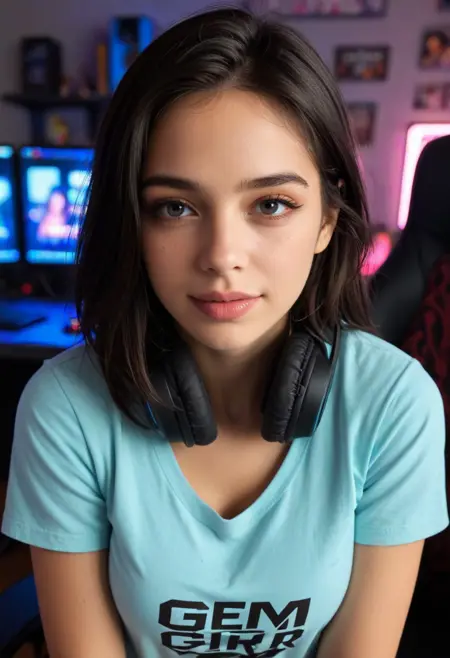
Introduction: Breathing Life into Static Images
Every photographer and content creator has experienced it: you have a perfect photo, but in a video-first world, static images struggle to capture attention. What if you could transform that still moment into a dynamic video with natural motion, cinematic camera movements, and engaging visual flow? Image-to-video AI makes this possible, turning a single photograph into a living, breathing visual experience.
This comprehensive guide explores the technology, techniques, and creative applications of image-to-video generation. Whether you're enhancing social media content, creating marketing materials, or adding motion to your photography portfolio, you'll learn how to leverage AI to transform static images into compelling video narratives.
Understanding Image-to-Video Technology
Image-to-video AI represents a significant advancement over text-to-video generation. Instead of starting from scratch, the AI analyzes your uploaded image to understand composition, subjects, lighting, and aesthetic qualities, then generates coherent motion that respects the original visual elements.
Key Advantage: Unlike text-to-video which imagines scenes from words, image-to-video maintains your exact subject appearance while adding natural movement, ensuring consistency between your original vision and final output.
How It Works
The process involves three critical stages:
- Image Encoding & Analysis The AI uses computer vision to identify key elements: subjects, background, depth relationships, lighting direction, and artistic style. Advanced models create a "depth map" understanding which objects are foreground versus background.
- Motion Planning Based on your text prompt, the system determines what should move and how. This could be camera motion (pan, zoom, rotate), subject animation (hair blowing in wind, water flowing), or environmental effects (clouds moving, leaves falling).
- Temporal Generation The model generates intermediate frames that smoothly transition from your original image through the requested motion sequence, maintaining visual coherence throughout the video duration.
Writing Effective Motion Prompts
Your prompt determines the motion quality. Here's how to communicate your vision effectively:
Camera Movement Prompts
- → Slow Zoom: "Camera slowly zooms in on subject's face, shallow depth of field"
- → Panoramic Pan: "Smooth horizontal pan from left to right revealing landscape"
- → Orbital Rotation: "Camera circles around subject 180 degrees, maintaining focus"
- → Tilt Movement: "Camera tilts upward from feet to head, portrait orientation"
- → Dolly Zoom: "Vertigo effect: camera moves backward while zooming in"
Subject Animation Prompts
- → Natural Elements: "Hair gently blowing in wind", "dress flowing gracefully", "trees swaying in breeze"
- → Water Dynamics: "Ocean waves rolling toward shore", "waterfall cascading down rocks", "ripples spreading across pond"
- → Atmospheric Effects: "Clouds drifting across sky", "fog rolling through forest", "snow falling softly"
- → Light Play: "light flickering from window", "neon signs pulsing", "fireflies dancing in evening air"
The Prompt Formula for Success
Structure your prompts using this framework:
Motion Type + Direction/Quality + Speed + Additional Details
Example 1:
"Slow cinematic zoom in on subject's face, gradual smooth movement over 4 seconds, shallow depth of field blurring background progressively"
Example 2:
"Gentle horizontal pan left to right revealing mountain vista, steady smooth motion, golden hour lighting shifting across landscape"
Example 3:
"Woman's hair flowing naturally in ocean breeze, subtle realistic movement, sunset backlight creating rim lighting on strands"
Best Practices by Image Type
Portrait Photography
For portraits, subtle motion creates engagement without distracting from the subject:
- ✓ Micro-movements: slight head turn, blink, smile forming
- ✓ Environmental elements: hair movement, clothing flutter
- ✓ Camera motion: slow push-in, subtle parallax shift
- ✗ Avoid: exaggerated movements that look unnatural
Landscape & Nature
Landscapes benefit from atmospheric and environmental motion:
- ✓ Sky dynamics: cloud movement, sun rays shifting
- ✓ Water features: flowing rivers, crashing waves, rippling lakes
- ✓ Vegetation: trees swaying, grass rippling, flowers bobbing
- ✓ Camera sweeps: panoramic pans, drone-like flyovers
Product Photography
Product shots use motion to highlight features and create advertising appeal:
- ✓ Rotation: 360-degree product showcase
- ✓ Lighting changes: reflections moving across surface
- ✓ Contextual elements: steam rising from coffee, liquid splashing
- ✓ Focus pulls: shifting focus between product features
Architecture & Interiors
Architectural images gain dimension through strategic motion:
- ✓ Walkthrough simulation: forward movement through spaces
- ✓ Time-lapse effects: shadows moving across surfaces
- ✓ Atmospheric additions: light beams through windows
- ✓ Parallax scrolling: foreground-background separation
Technical Settings Optimization
Resolution Strategy
Match your output resolution to the platform and source image quality:
| Use Case | Aspect Ratio | Recommended Resolution |
|---|---|---|
| Social Media (TikTok/Reels) | 9:16 | 432×768 or 720×1280 |
| YouTube/Presentations | 16:9 | 768×432 or 1920×1080 |
| Instagram Feed | 1:1 | 768×768 or 1080×1080 |
| Cinematic Content | 21:9 | 1344×576 or custom crop |
Frame Count & Duration
Control video length through frame count at standard 30 FPS:
- 60 frames = 2 seconds: Quick loops, micro-content, loading animations
- 90 frames = 3 seconds: Social media stories, brief showcases
- 120 frames = 4 seconds: Standard length, balanced engagement
- 180 frames = 6 seconds: Extended sequences, narrative moments
- 240+ frames = 8+ seconds: Complex motions, detailed storytelling
Common Challenges and Solutions
⚠️ Challenge: Unnatural Warping
Subjects distort or stretch during motion, breaking realism.
✅ Solution: Use slower, subtler motion descriptors. Specify "smooth realistic movement" in prompt. Ensure source image is high-resolution with clear subject definition.
⚠️ Challenge: Background Artifacts
Background shows glitching or inconsistent patterns during camera movement.
✅ Solution: Include background description in prompt: "maintain consistent background throughout motion". Use simpler backgrounds when possible.
⚠️ Challenge: Temporal Inconsistency
Subject appearance changes between frames, losing identity.
✅ Solution: Reduce motion complexity. Focus on single type of movement (either camera OR subject motion, not both). Use "maintain subject consistency" modifier.
⚠️ Challenge: Low Output Quality
Generated video appears blurry or pixelated compared to source.
✅ Solution: Start with highest resolution source image possible. Select appropriate output dimensions (don't upscale beyond model capability). Use platforms offering HD output options.
Creative Applications Across Industries
Social Media & Influencer Marketing
Content creators transform static photos into scroll-stopping video content. Fashion influencers animate outfit photos with fabric movement and camera pans. Travel bloggers bring destination photos to life with atmospheric motion. Food accounts add steam, pouring shots, and dynamic angles to dish photography.
E-commerce & Product Marketing
Online retailers enhance product listings with motion without expensive video shoots. Jewelry brands showcase sparkle through light reflection animation. Furniture stores create room walkthrough experiences. Cosmetic companies demonstrate product texture with application-style motion.
Real Estate & Architecture
Property listings gain engagement through virtual walkthrough simulations. Exterior photos come alive with moving clouds, swaying trees, and shifting shadows. Interior shots benefit from camera movement showing spatial relationships and natural light streaming through windows.
Photography & Art
Photographers expand service offerings by delivering both still and motion versions to clients. Wedding photographers create emotional highlight reels from ceremony photos. Fine art photographers explore new medium blending photography and cinema. Portrait studios offer animated portraits for digital displays and social profiles.
Step-by-Step Workflow
- Select Your Source Image Choose high-resolution photos with clear subjects and good composition. Images with distinct foreground/background separation work best.
- Define Your Motion Goal Decide: Are you adding camera movement, animating the subject, or creating environmental effects? Having clear intent guides prompt writing.
- Craft Your Prompt Use the formula from earlier sections. Be specific about motion type, direction, speed, and quality. Include mood descriptors (cinematic, dreamy, energetic) for tonal guidance.
- Configure Technical Settings Set aspect ratio for your target platform. Choose frame count based on desired duration. Default 120 frames at 30 FPS (4 seconds) works well for testing.
- Generate & Evaluate Submit your request and wait 2-5 minutes for processing. Watch the full video multiple times, noting what worked and what didn't.
- Refine & Iterate Adjust your prompt based on results. Too much motion? Add "subtle" or "gentle" modifiers. Want smoother movement? Specify "buttery smooth" or increase frame count for slower playback.
- Download & Deploy Once satisfied, download the MP4 file. Optimize further in video editing software if needed (trimming, color grading, adding music). Publish to your chosen platform.
Expert Tips for Stunning Results
- ▸Start with portrait orientation images for vertical video platforms—they maintain better quality
- ▸Test with free credits before committing to paid plans; each platform has different strengths
- ▸Combine multiple short clips in post-production for longer narrative sequences
- ▸Add sound design in editing software—motion feels more real with matching audio
- ▸Study cinematography principles: rule of thirds, leading lines, motivated camera movement
- ▸Save successful prompt-image combinations as templates for future projects
The Future of Image-to-Video
Emerging developments promise even greater creative control:
- Multi-Image Input: Provide start and end frames for precise motion control, creating smooth transitions between two specific compositions.
- Mask-Guided Animation: Paint regions you want to move while keeping other areas static—animate only the sky, water, or specific subjects.
- Motion Brush Tools: Draw arrows indicating direction and magnitude of movement directly on the image for intuitive control.
- Longer Coherent Sequences: Next-generation models will generate 15-30 second videos maintaining subject consistency throughout.
- 3D Camera Control: True volumetric understanding enabling complex camera choreography through 3D space reconstructed from 2D images.
Conclusion: Your Static Images Are Ready to Move
Image-to-video AI transforms how we think about photography and motion content. No longer are these separate disciplines requiring different equipment, skills, and workflows. A single tool now bridges the gap, allowing photographers to become cinematographers and content creators to maximize every captured moment.
The technology is accessible, the learning curve is manageable, and the creative possibilities are vast. Start with favorite photos, experiment with different motion types, learn from each generation, and gradually develop intuition for what makes compelling animated imagery.
Your photo archive isn't just a collection of frozen moments—it's a library of potential videos waiting to be unlocked. The question isn't whether image-to-video fits into your workflow; it's which image you'll animate first.
Ready to bring your photos to life? Try Grok AI's Image-to-Video tool with signup credits for new users. Upload a photo, describe the motion, and watch your static images transform into captivating videos in minutes.